
The form builder made for NDIS providers.
Start from templates written for intake, incidents, consent and more. Share a link, and every response lands in one inbox.
We review every request. Approved providers are invited by email.
0
templates written for NDIS work
Minutes
from sign-up to a published form
$0
to start, no card needed
How it works
Three steps, then it runs itself.
Pick a template, or start blank
Every template is written for Australian providers. Edit any question, add a section, or build your own from scratch.
Share a link, or embed it
Publish to get a public link, a QR code and an embed for your website. It works on any phone, with no app to install.
Review responses in one inbox
Submissions land in one list with a status, notes and export. Route them to the right person automatically.
See it in action
Everything happens in one window.
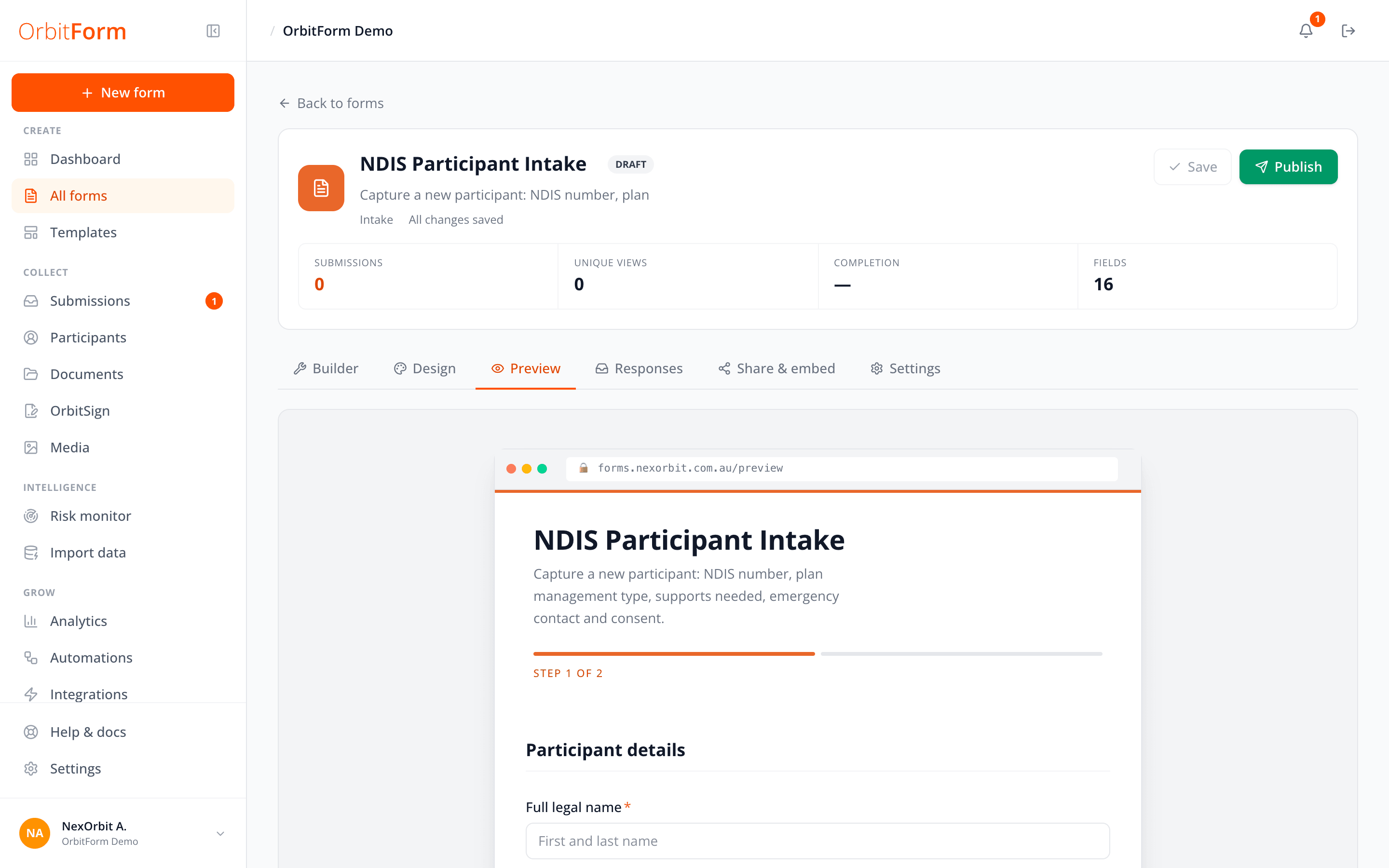
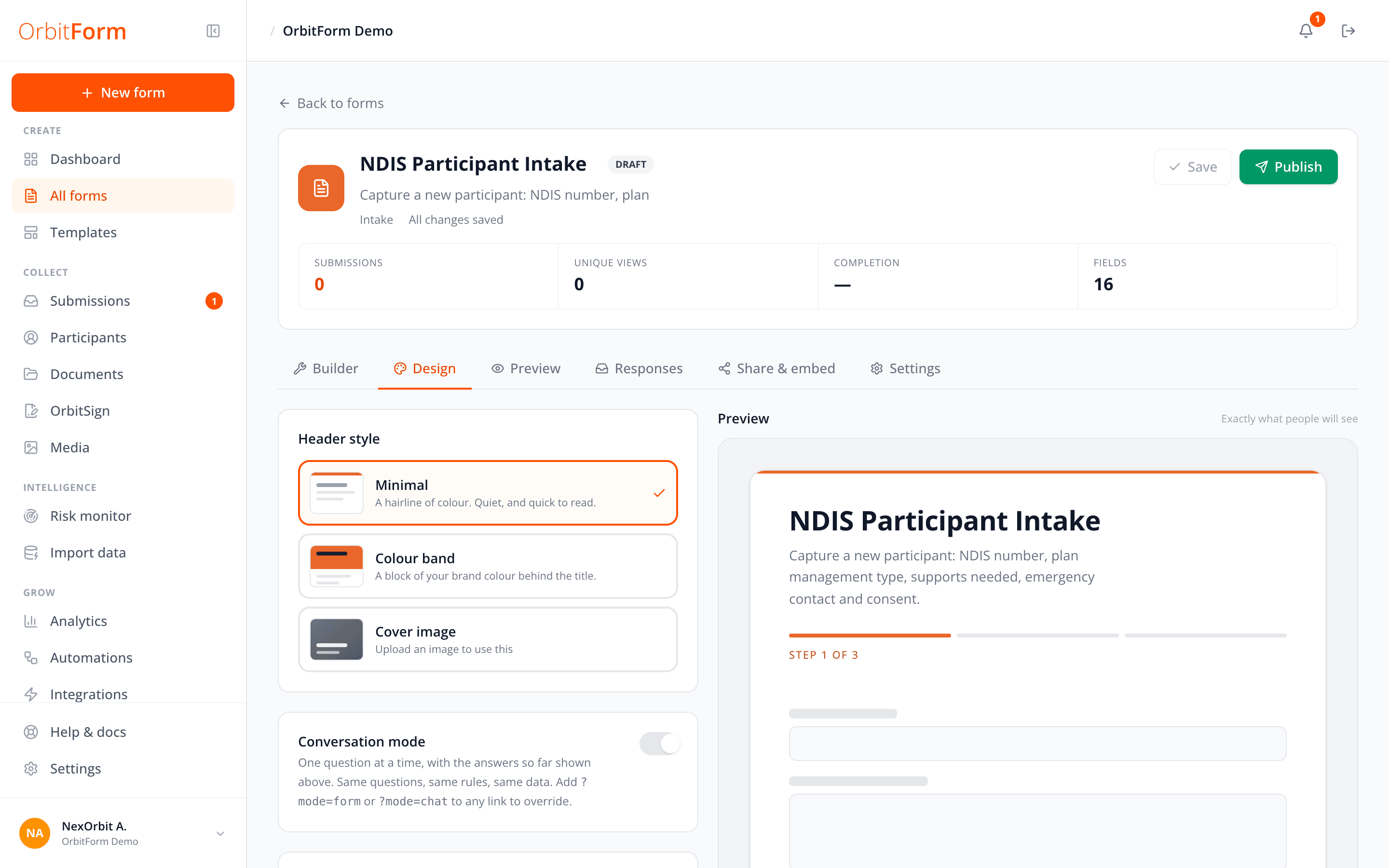
Build, preview, brand and pick templates without leaving the form. Click through, or let it play.
Build it the way your service runs.
Click a field to add it, drag to reorder, group questions into sections and mark what is required. Long forms split into steps. No code.

On a phone
Forms people can actually finish.
Every published form is a clean page with clear steps and plain prompts. It works on a phone without an app, and respondents never need an account.
- Step-by-step progress on longer forms
- Your logo and colours, not ours
- Signature and file upload built in
- Public link, QR code or embed on your site
Templates
Start from a form written for NDIS work.
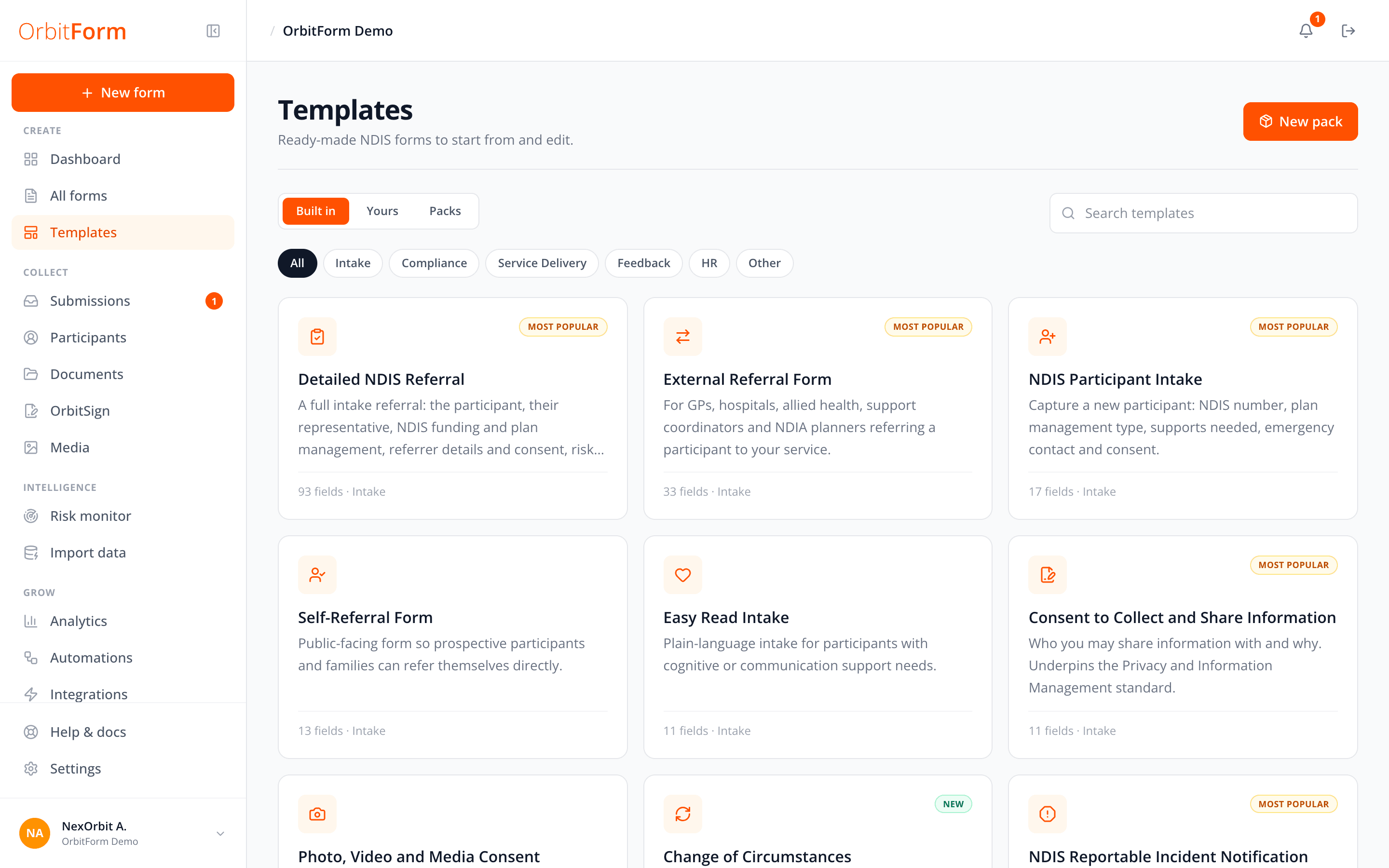
Thirty-eight templates across intake, compliance, service delivery, feedback and HR. These are the real ones, straight from the app.
Detailed NDIS Referral
A full intake referral: the participant, their representative, NDIS funding and plan management, referrer details and consent, risk and behaviour support, and the weekly support schedule for rostering.
93 fields · Intake
External Referral Form
For GPs, hospitals, allied health, support coordinators and NDIA planners referring a participant to your service.
33 fields · Intake
NDIS Participant Intake
Capture a new participant: NDIS number, plan management type, supports needed, emergency contact and consent.
17 fields · Intake
Consent to Collect and Share Information
Who you may share information with and why. Underpins the Privacy and Information Management standard.
11 fields · Intake
NDIS Reportable Incident Notification
Notify the NDIS Commission. Death, serious injury, abuse, neglect, unlawful contact and sexual misconduct within 24 hours; unauthorised restrictive practice within 5 business days.
21 fields · Compliance
Incident Report (detailed)
The full internal record: category, what happened, who was harmed, a body chart to mark an injury on, actions taken, and a separate supervisor section for the risk assessment and findings.
65 fields · Compliance
Daily Progress Note
End-of-shift narrative tied to NDIS goals. Replaces handwritten communication books.
14 fields · Service delivery
Service Agreement
The full NDIS service agreement and schedule of supports: both parties, a costed table of support items that totals itself, plan management and invoicing, the obligations on each side, consent, and both signatures. Your own details are already filled in and locked rather than asked for.
91 fields · Service delivery
Everything after the form
Responses need somewhere to go.
The form is the start. OrbitForm also handles what happens once someone presses submit.
Submissions inbox
Every response in one list. Mark it new, in review or done, add notes, and export when you need to.
Signatures
Send an agreement for signing, or collect a signature inside the form itself.
Participants
Responses build a participant record, so the same person is not five separate entries.
Analytics
Views, completion rate and time to fill for each form, so you can see where people stop.
Automations
Notify the right person, or route a submission to the right team, the moment it arrives.
Team and audit log
Invite your team, choose who can publish and export, and keep a record of who did what.
Security and privacy
Built for sensitive information.
Intake and incident forms hold some of the most personal information a provider handles. OrbitForm treats it that way.
Hosted in Sydney
Your forms and responses stay on Australian infrastructure in the ap-southeast-2 region.
Encrypted throughout
Data is encrypted in transit and at rest. Public forms are served over HTTPS only.
Role-based access
Admins run the workspace. Members see what they are given, and nothing more.
Nothing lost by accident
Deleted forms go to a trash you can restore from. Every change is written to the audit log.
Questions
Good to know.
Short answers to the things providers ask us first.
Something else? Ask us.
No. You share a link or embed the form on your website. Anyone with the link can complete it on a phone, tablet or computer.
Bring OrbitForm to your service.
Tell us about your service. We review every request, and approved providers get an email invitation to set up their workspace.